Best 3D Printers for Schools & Education
School printers need to be safe (PLA only, no toxic fumes), quiet (libraries and classrooms), reliable (IT staff shouldn't need to troubleshoot nozzle clogs), and affordable to run. The best educational printers are hands-off: students hit print and get results.
In a hurry? Our top picks:
What to look for
Safety
PLA-only printing with no exposed heated components. Enclosed designs with HEPA filtration are ideal.
Noise level
Under 50dB is essential for classroom use. Some printers are whisper-quiet at 45dB.
Ease of use
Auto-leveling, touchscreen interface, WiFi connectivity for remote print submission.
Low maintenance
Budget printers that need constant nozzle replacement or belt tensioning waste teacher time.
Quick comparison
| Printer | Build Volume | Max Speed | Tech | Price |
|---|---|---|---|---|
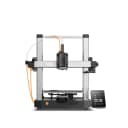
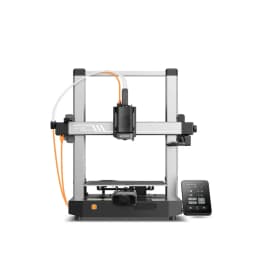
| Anycubic Kobra 3 V2 | 255×255×260mm | 600 mm/s | FDM | $229 |
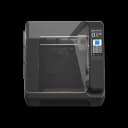
| QIDI Q1 Pro | 245×245×240mm | 600 mm/s | FDM | $469 |
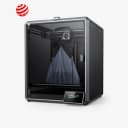
| Creality K1 Max | 300×300×300mm | 600 mm/s | FDM | $649 |
Our picks
Budget ($150-250)
Anycubic Kobra 3 V2
$229
$349
- • $229 — Anycubic Kobra 3 V2
- • Fast: up to 600 mm/s
- • Auto-leveling for hassle-free setup
- • Multi-color via ACE Pro
Mid-range ($250-500)
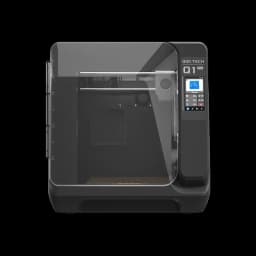
QIDI Q1 Pro
$469
$599
- • $469 — QIDI Q1 Pro
- • Fast: up to 600 mm/s
- • Enclosed for ABS/ASA and quieter printing
- • Auto-leveling for hassle-free setup
Premium ($500-800)
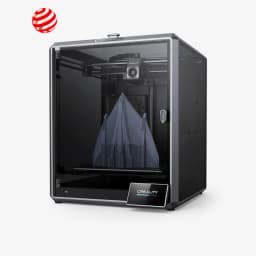
Creality K1 Max
$649
$899
- • $649 — Creality K1 Max
- • Fast: up to 600 mm/s
- • Enclosed for ABS/ASA and quieter printing
- • Auto-leveling for hassle-free setup
Common mistakes to avoid
- ×Buying the cheapest printer instead of the most reliable — downtime costs more than the printer
- ×Choosing a printer without WiFi — students should be able to submit prints remotely
- ×Not budgeting for filament — plan for 5-10kg per semester ($100-250)
- ×Placing the printer in a library without checking noise levels first